
Updated April 1, 2026: We have updated the timeline. Thank you for your patience.
[Introduction]
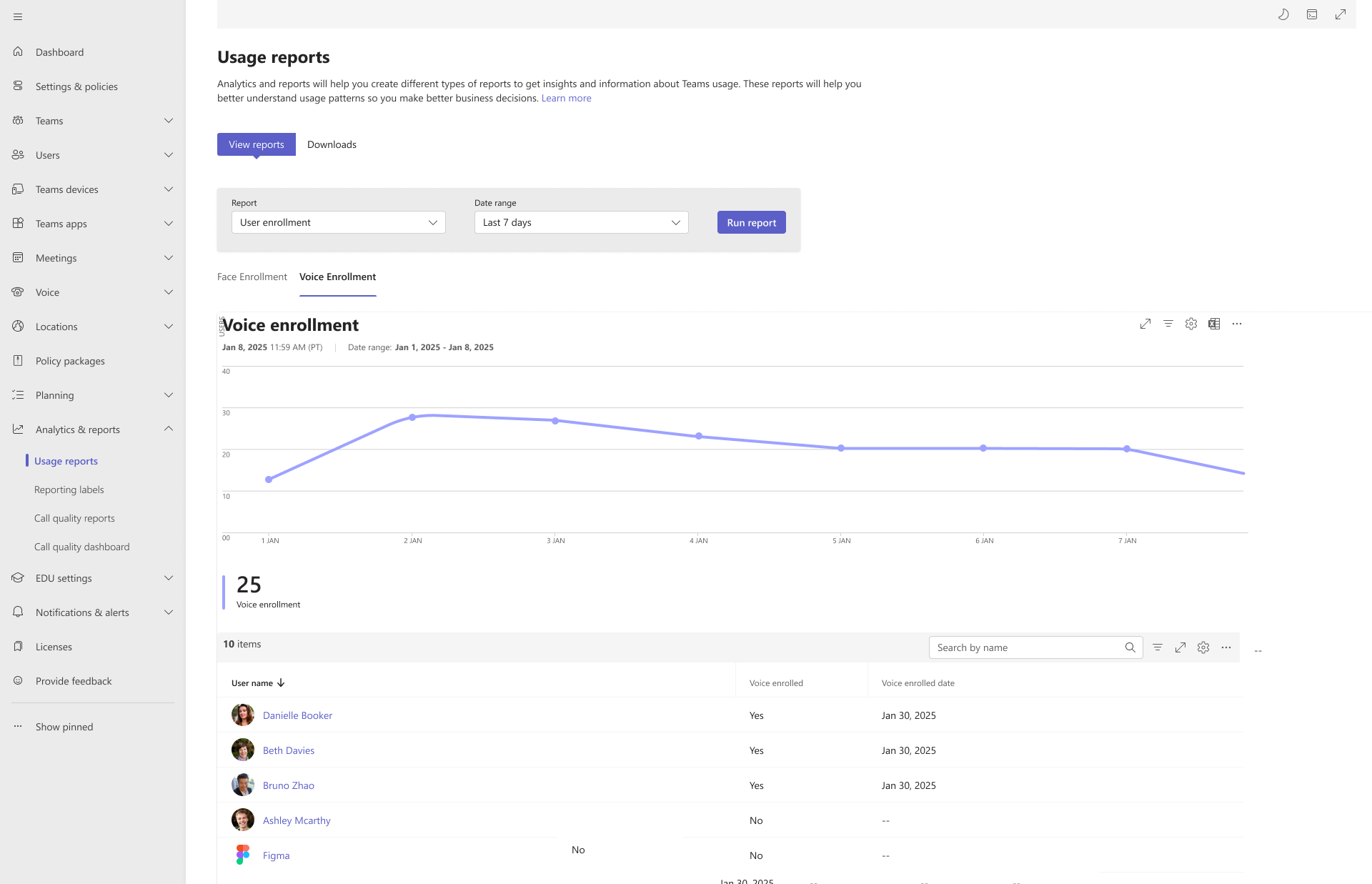
We are introducing a new dashboard in Teams Admin Center (TAC) that gives admins new visibility into user voice and face enrollment data to help organizations better understand usage of AI-dependent capabilities such as speaker attribution, voice isolation, and face-based room experiences. Dashboard data includes enrollment status, counts, and aggregate metrics
This update also adds the ability for admins to view and delete end-user voice and face enrollment data directly from TAC. These controls strengthen compliance posture and provide more direct management of sensitive data.
This message is associated with Roadmap ID 506750.
[When this will happen:]
General Availability (Worldwide, GCC): We will begin rolling out mid-March 2026 (previously early February) and expect to complete by mid-April 2026 (previously late March).
[How this will affect your organization:]
- Who is affected: Admins managing Microsoft Teams in Teams Admin Center.
- What will happen:
- A new voice and face enrollment dashboard will appear in Teams Admin Center.
- Admins will gain data deletion capabilities, allowing removal of voice or face enrollment data for individual users or batches of users.
- Deleted data is permanently removed, and users will need to re-enroll to continue benefiting from features such as speaker attribution or personalized AI meeting experiences.
- There is no change to default enrollment behavior. Existing policies and user controls remain unchanged.
[What you need to do to prepare:]
- No action is required to enable this feature. It will appear automatically as part of the rollout.
[Compliance considerations:]
No compliance considerations identified. Review as appropriate for your organization.
