
[Introduction]
We're simplifying the behavior of Copilot Chat in the Microsoft 365 Copilot app by removing the Microsoft 365 Copilot app from the scope of the Pin Microsoft 365 Copilot Chat admin setting.
Screenshot 1: Example Pin setting before and after this change
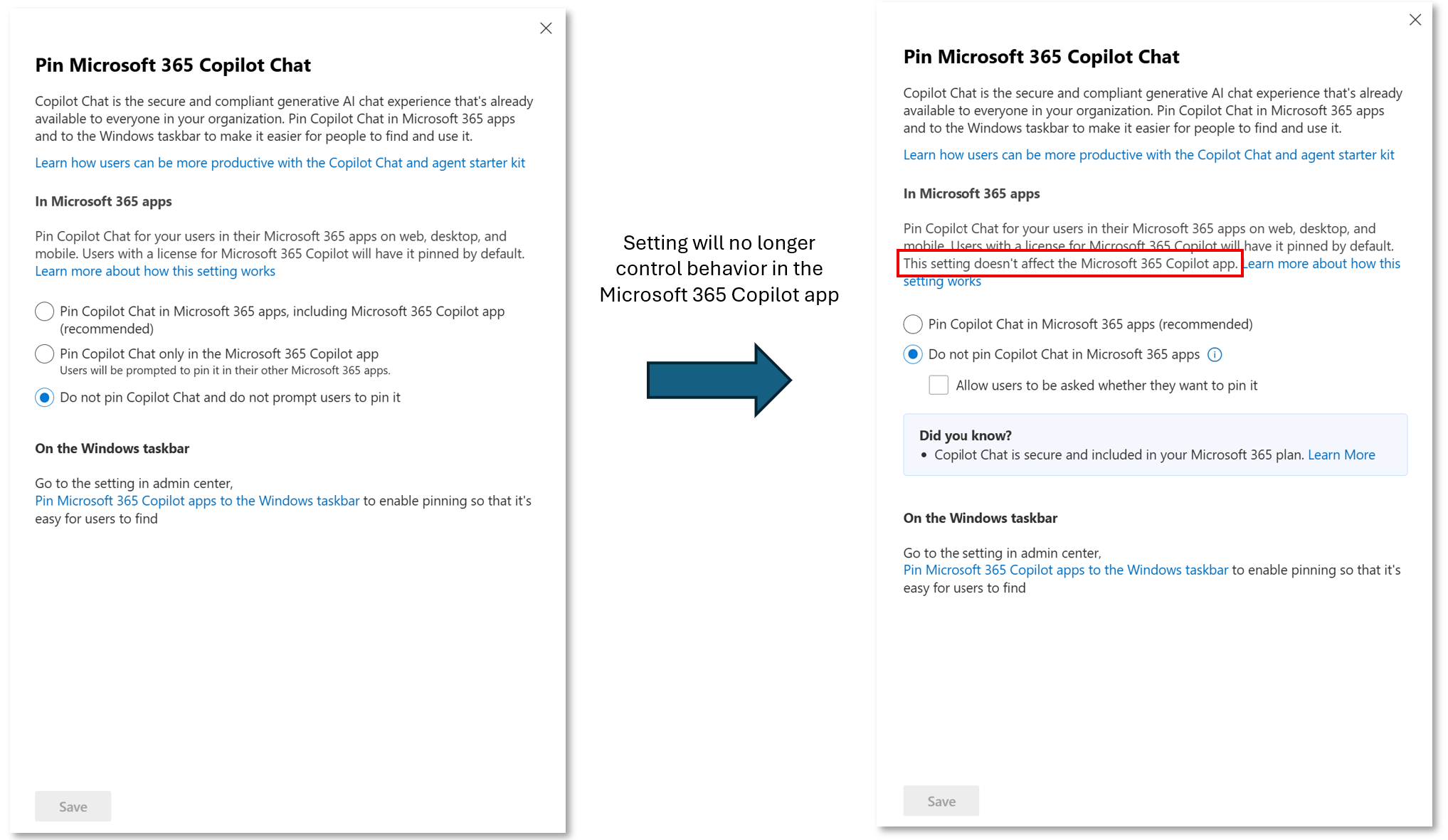
The table below outlines the pin setting values before and after this change. The Copilot Chat pin setting no longer applies to the Microsoft 365 Copilot app, and there is no change for other Microsoft 365 apps.
| Pin setting value before change Applicable to the Microsoft 365 Copilot app and Microsoft 365 apps. | Pin setting value after change Applicable to Microsoft 365 apps. |
| Pin Copilot Chat in Microsoft 365 apps, including the Microsoft 365 Copilot app (recommended). | Pin Copilot Chat in Microsoft 365 apps (recommended). |
| Pin Copilot Chat only in the Microsoft 365 Copilot app. Users will be prompted to pin it in their other Microsoft 365 apps. | Do not pin Copilot Chat in Microsoft 365 apps. Allow users to be asked whether they want to pin it (selected). |
| Do not pin Copilot Chat and do not prompt users to pin it. | Do not pin Copilot chat in Microsoft 365 apps.
Allow users to be asked whether they want to pin it (unselected). |
[When this will happen:]
General Availability: Rollout will begin in late January 2026 and complete by late February 2026.
[How this affects your organization:]
Who is affected:
- Organizations using the Microsoft 365 Copilot app.
- Users without a Microsoft 365 Copilot license who have Chat pinning in the Microsoft 365 Copilot app disabled.
What will happen:
- The Pin Microsoft 365 Copilot Chat setting will no longer control Chat visibility in the Microsoft 365 Copilot app for unlicensed users.
- For users without a Copilot license, Chat appears as the app's default landing page.
- No changes for licensed Microsoft 365 Copilot users or those with default pinning already set.
[What you can do to prepare:]
- No admin action is required.
- Optional:
- Review documentation for managing the Microsoft 365 Copilot app and Copilot Chat:
[Compliance considerations:]
No compliance considerations identified; review as appropriate for your organization.
