
[Introduction]
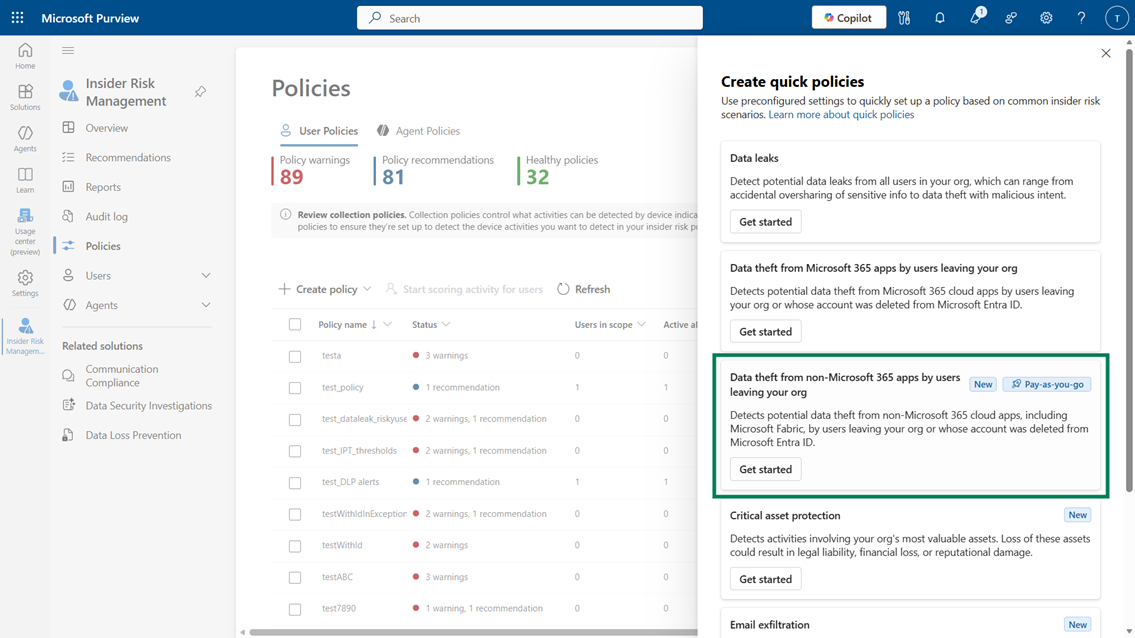
We’re adding a new preconfigured quick policy template in Insider Risk Management to help detect potential data theft from Microsoft Fabric and other non-Microsoft 365 cloud storage services, including Box, Dropbox, Google Drive, Azure, and Amazon Web Services (AWS). This template helps admins create scenario-specific policies with minimal configuration, enabling faster and more consistent onboarding.
This message is associated with Microsoft 365 Roadmap ID 543244.
[When this will happen]
General Availability (Worldwide): We will begin rolling out in late February 2026 and expect to complete by late February 2026.
[How this affects your organization]
Who is affected:
- Insider Risk Management admins with permissions to create and manage policies
- Organizations using Microsoft Fabric or non-Microsoft 365 cloud storage providers (Box, Dropbox, Google Drive, Azure, AWS)
What will happen:
- A new quik policy template will appear in Insider Risk Management under Policies > Create policy.
- Admins can use the template to detect potential data theft activities performed by:
- Users leaving the organization, or
- Users whose accounts have been deleted in Microsoft Entra ID
- The template supports monitoring across Microsoft Fabric and multiple third‑party cloud sources.
- Policies created with this template require minimal configuration to get started.
- Additional tuning may be needed after deployment to optimize alert volume for your environment.
- This feature is not enabled by default; admins must opt in by creating the policy.
[What you can do to prepare]
- Review your Insider Risk Management role permissions to ensure appropriate admin access.
- When available, create the new quick policy from Microsoft Purview > Insider Risk Management > Policies > Create policy.
- After deployment, evaluate alert volume and adjust thresholds or settings as needed.
- If your organization uses cloud apps such as Box, Dropbox, Google Drive, Azure, AWS, or Microsoft Fabric, confirm the relevant connectors and integrations are enabled.
- For detailed guidance, review: Create and manage Insider Risk Management policies | Microsoft Learn
[Compliance considerations]
No compliance considerations identified. Review as appropriate for your organization.
