
Updated June 4, 2026: We have updated the content. Thank you for your patience.
[Introduction]
The Review this presentation skill is rolling out as part of Copilot in PowerPoint for Windows desktop. In Copilot, a "skill" is a user‑initiated action that performs a specific task on existing content. This capability reviews existing slides and provides detailed recommendations to improve structure, clarity, and storytelling, helping users refine presentations more efficiently.
This skill now supports both Anthropic model and GPT5.5 model.
[When this will happen:]
General Availability (Worldwide): Available now
[How this affects your organization:]
Who is affected:
Users with access to PowerPoint Copilot on Windows desktop.
What will happen:
- The Review this presentation option becomes available within PowerPoint Copilot.
Screenshot: Copilot in PowerPoint with the Review this presentation skill selected:
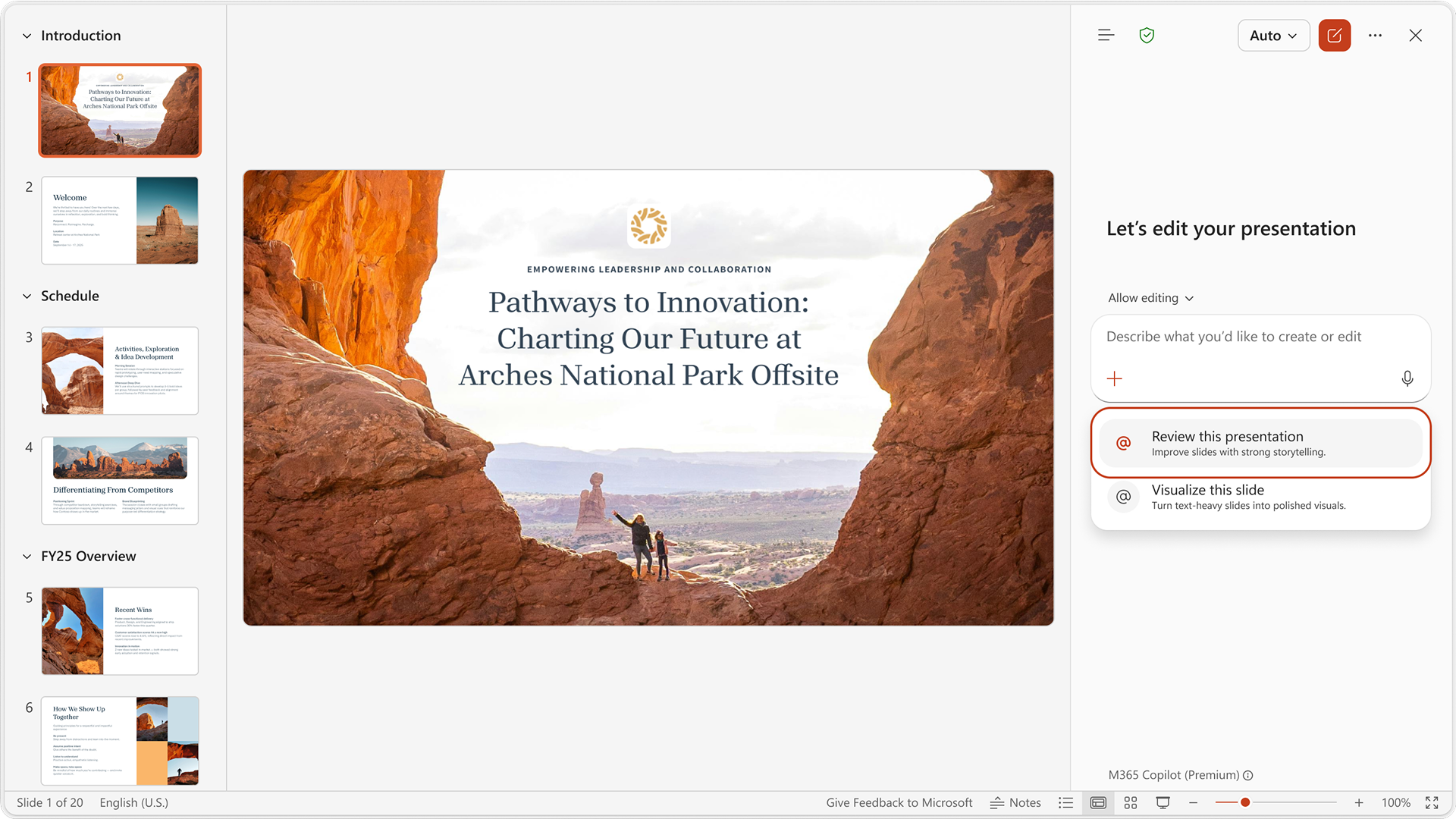
- Copilot will analyze the current presentation and generate suggestions to improve narrative flow, organization, and slide clarity.
- Suggestions are provided for review only; no changes are applied automatically.
- The feature is available by default for eligible users and respects existing Copilot access controls.
[What you can do to prepare:]
- No admin configuration is required.
- Optionally, you might notify users with access to PowerPoint Copilot about the new Review this presentation option.
- IT admins cannot control the availability of individual skills. However, skills that depend on the Anthropic model adhere to existing admin configurations—if the Anthropic model is disabled for a tenant by the IT admins, those associated skills will not be available to users in that tenant.
Learn more: Edit with Copilot in PowerPoint - Microsoft Support (will be updated soon)
[Compliance considerations:]
No compliance considerations identified; review as appropriate for your organization.
