
Updated June 22, 2026: We have updated the timeline. Thank you for your patience.
[What and Why:]
We’re enhancing the existing AI-powered SharePoint Page and News Post creation experience by expanding Copilot in SharePoint (previously AI in SharePoint) with a new entry point and a more integrated authoring flow.
This update helps authors move more quickly from idea to publish-ready content by making AI-assisted creation available earlier and more consistently across SharePoint, while maintaining full editing control and customization flexibility.
[Rollout Schedule:]
- Public Preview (Worldwide): We began rolling out in early March 2026 and expect to complete by early July 2026 (previously early June).
- Targeted Release (Worldwide): We will begin rolling out in mid-July 2026 (previously late June) and expect to complete by early August 2026 (previously late July).
[Impact on Your Organization:]
Who is affected:
- Users who create SharePoint pages or news posts
- A Microsoft 365 Copilot (Premium) license is required to use this feature
- Tenants opted in to Copilot in SharePoint (previously AI in SharePoint) public preview
Platforms/Services:
- SharePoint Online (Web)
- Microsoft 365 Copilot
- SharePoint Pages and News Posts
What will happen:
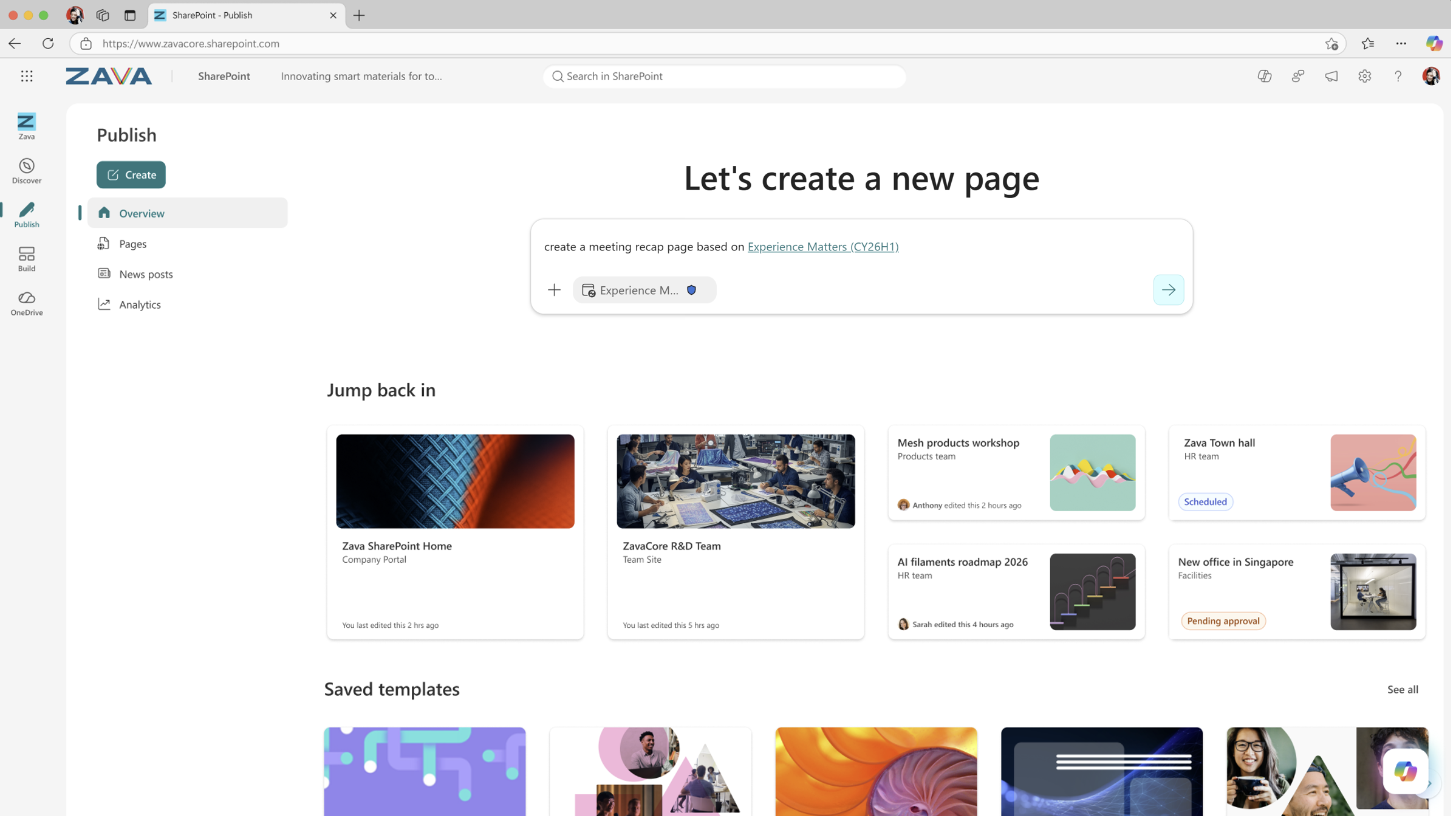
Authors can start creating AI-assisted SharePoint pages and news posts from a new entry point in SharePoint:
- Authors can quickly create a SharePoint page using AI by entering a prompt.
 >
>
2. Start from the Site Template Gallery
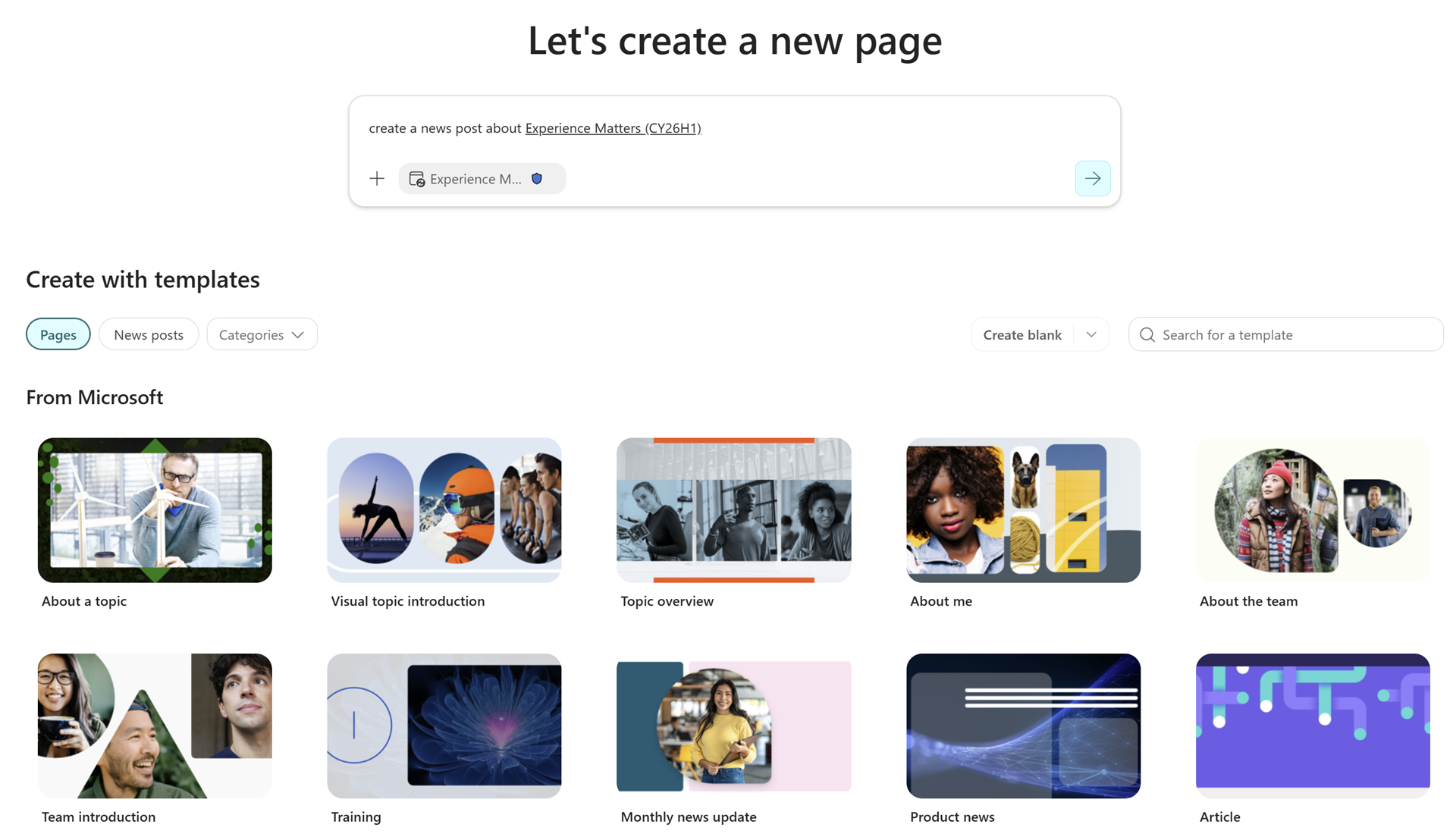
- A new prompt box will appear at the top of the SharePoint Site Template Gallery.
- From this experience, authors can:
- Enter a prompt to describe the content they want to create
- Select grounding files to provide additional context
- Choose whether to create a Page or a News Post using the pivot control
- Copilot will generate a visually engaging draft that authors can continue refining directly within the page editor using the Copilot panel.
- The experience is enabled by default for eligible users, respects existing SharePoint permissions, and maintains full editing and customization flexibility.
[Action Required / Recommendations:]
No admin action is required. Consider notifying SharePoint authors and updating internal documentation as appropriate.
Learn more: Authoring with AI in SharePoint: An overview | Microsoft Support (will be updated before rollout)
[Compliance considerations:]
| Compliance question | Explanation |
| Does the change introduce or significantly modify AI/ML capabilities that interact with customer data? | Copilot in SharePoint expands generative AI-assisted content creation using prompts and optional grounding files within SharePoint pages and news posts. |
| Does the change provide end users a new way of interacting with generative AI? | Users can now invoke Copilot prompts from the Site Template Gallery. |
