
[What and Why]
We are improving the Speed dial experience in Microsoft Teams mobile (iOS and Android) to help users reach important contacts faster and more reliably. This update introduces a simpler and more personalized interface for managing contacts and ensures consistency across devices, supporting productivity for users who need quick access to calling features while on the go.
[Rollout Schedule]
General Availability (Worldwide): We began rolling out in mid-June 2026 and expect to complete by late June 2026.
[Impact on Your Organization]
Who is affected
- Users in your organization who use Teams Phone and access calling features on Teams mobile
Platforms/Services
- Microsoft Teams mobile (iOS and Android)
- Teams Phone
What will happen
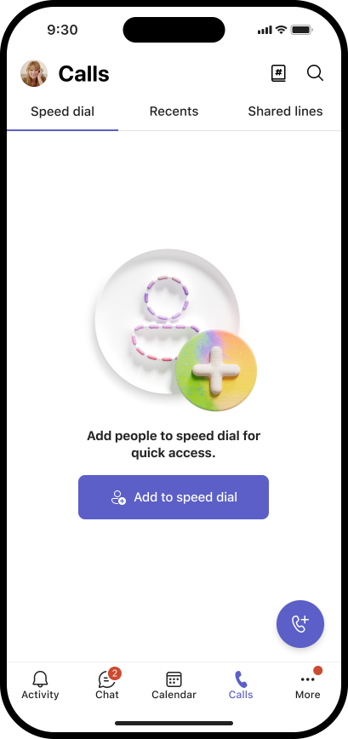
- Users will see a redesigned Speed dial interface in the Calls app on mobile:
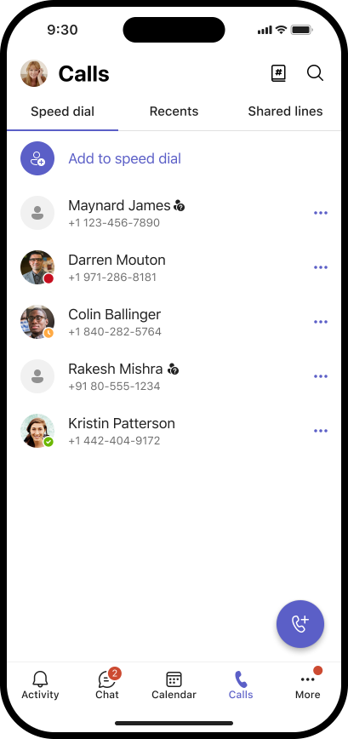
- Users can add, edit, and remove contacts directly within the Speed dial interface:
- Speed dial lists will sync across devices, ensuring consistency between mobile and other Teams clients.
- The feature is enabled by default for eligible users.
- There are no changes to admin configuration or policies.
[Action Required/Recommendations]
No action is required. This update will roll out automatically to eligible users.
Recommended actions:
- Inform users, especially frontline workers and support teams, about the updated Speed dial experience.
- Update internal documentation if it references Teams mobile calling workflows.
- Prepare helpdesk teams to answer user questions about the updated interface.
Learn more: Manage your contacts with the People App in Teams | Microsoft Support
[Compliance considerations]
No compliance considerations identified. Review as appropriate for your organization.
