Updated October 5, 2026: We have updated the content. Thank you for your patience.
[What and Why:]
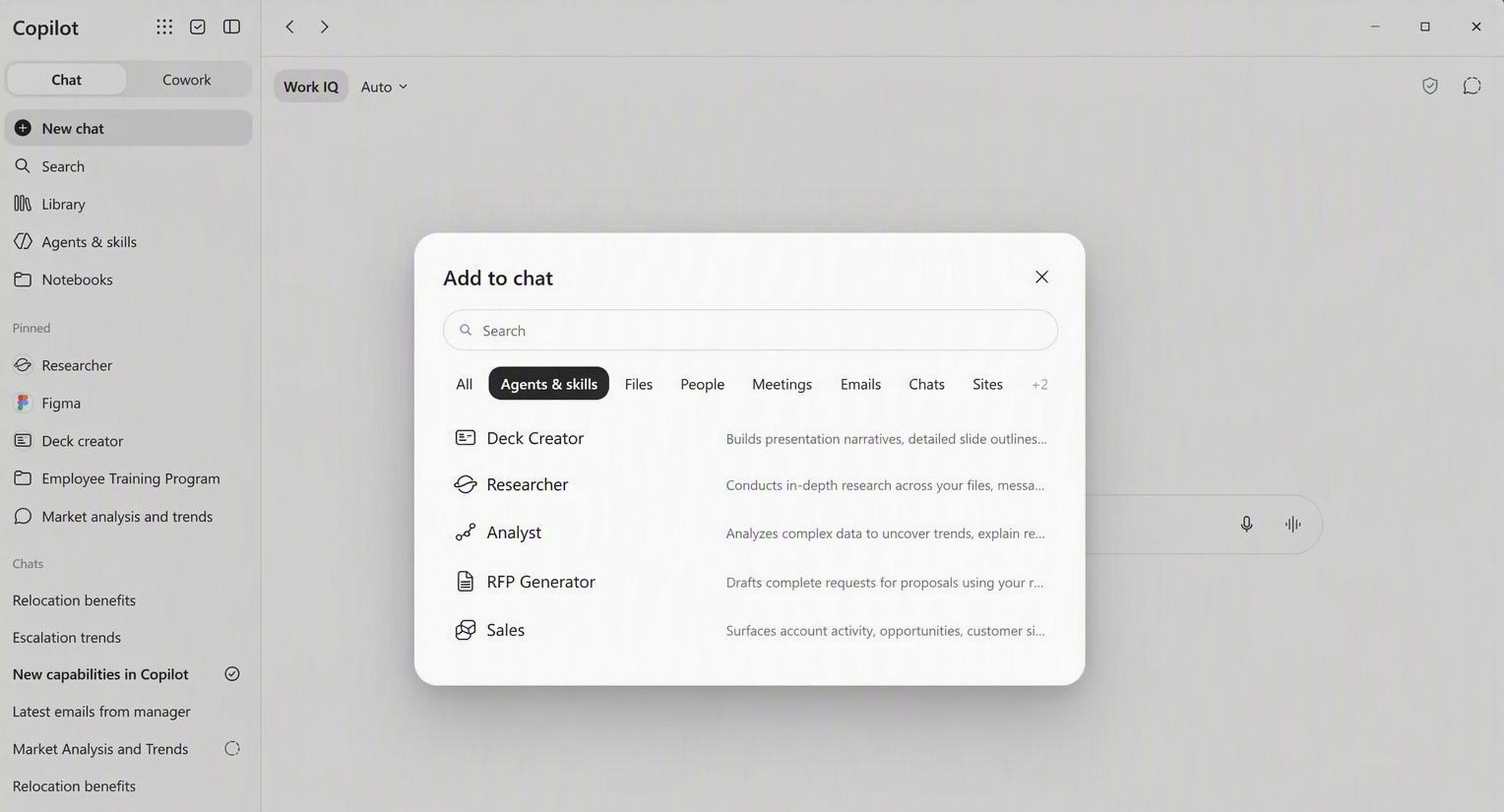
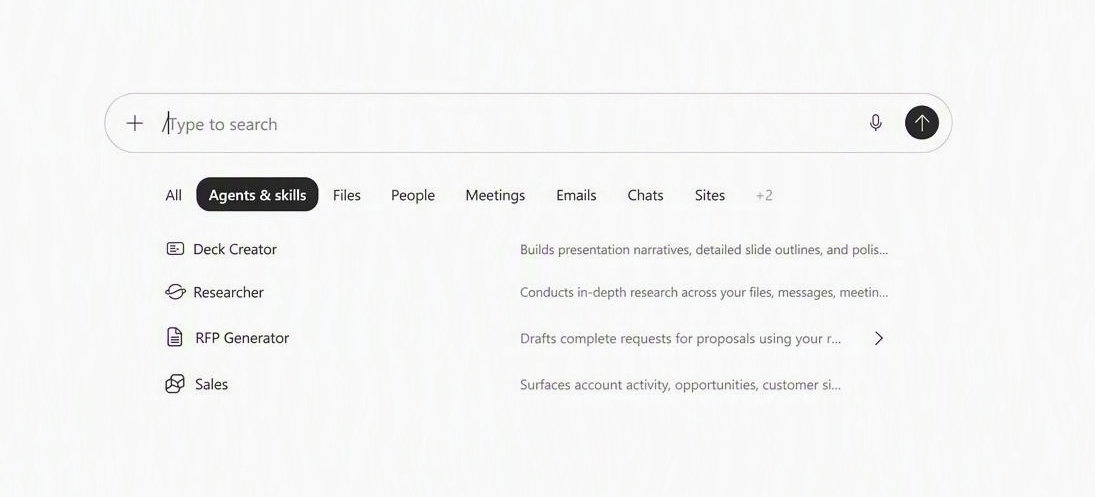
We are introducing support for inserting Agents and Skills directly into prompts via the Context IQ (CIQ) menu which users can access by selecting "Add content" after opening the Plus (+) menu. Users will be able to access available Agents and Skills from the CIQ Agents and Skills tab after selecting "Add content" or by referencing them by typing / or @ while composing prompts. Users will be able to access available Agents and Skills from the CIQ Agents and Skills tab and quickly reference them by typing / or @ while composing prompts. This improvement helps users discover and use specialized capabilities more efficiently, improving productivity by making context-specific AI assistance easier to access within existing workflows.
Screenshot - Agents & skills tab in CIQ menu when user selects "Add content" from the Plus (+) menu.
Screenshot - Agents & skills tab when user types "/" or "@" in the prompt box.
[Rollout Schedule:]
- General Availability (Worldwide): Rollout begins in mid-September 2026.
- Expected completion: Late September 2026.
[Impact on Your Organization:]
Who is affected:
- Users who have access to CIQ and available Agents and Skills within their organization.
Platforms/Services:
- CIQ
- Copilot experiences that support Agents and Skills integration
What will happen:
- Users will be able to insert Agents and Skills directly into prompts using @ and /.
- Agents and Skills will be discoverable from the CIQ Agents and Skills tab.
- Users can quickly access specialized capabilities without navigating away from their current experience.
- The change is available by default where Agents and Skills are supported.
- No changes to existing user workflows are required; this enhancement provides an additional way to invoke available capabilities.
[Action Required/Recommendations:]
No action is required.
You may want to:
- Inform users about the new Agents and Skills discovery experience.
- Update internal training or adoption materials if your organization documents CIQ workflows.
- Review any organizational guidance related to approved Agents and Skills usage.
[Compliance considerations:]
No compliance considerations identified. Review as appropriate for your organization.