[What and why]
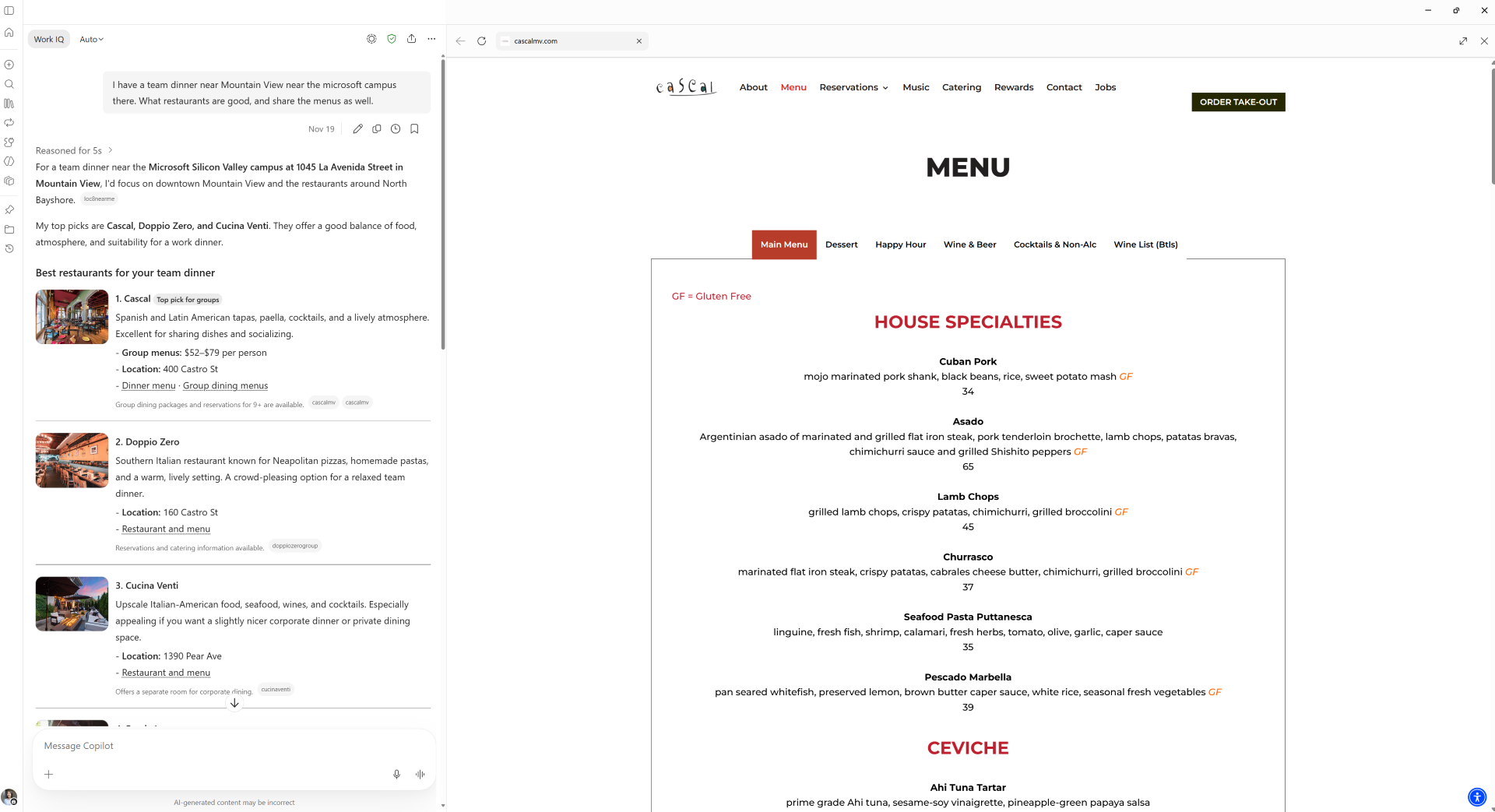
We are enabling in-app browsing by default in the Microsoft Copilot desktop app for Windows and Mac. As we announced in MC1474455, this feature allows users to open websites shared in Copilot chat directly within the desktop app, side by side with their Copilot conversation. Previously optional, this experience will be enabled by default, helping users access web content and Copilot responses in one place and reduce context switching.
[Rollout schedule]
- General Availability (Worldwide): Rollout will begin in early January 2027 and is expected to complete by the end of January 2027.
[Impact on your organization]
Who is affected
- Users of the Microsoft Copilot desktop app for Windows and Mac.
Platforms and services
- Microsoft Copilot desktop app for Windows and Mac
What will happen
- Websites shared in Copilot chat will open directly within the desktop app by default, side by side with the Copilot conversation.
- Users can view web content and Copilot responses in one place, reducing context switching.
[Action required and recommendations]
No action is required to enable in-app browsing. If your organization wants to disable or manage this experience:
- Set the
BrowsingEnabledpolicy to Off through your device management system to disable in-app browsing. - Configure the new in-app browsing policies as needed to manage security, privacy, access, authentication and network behavior, downloads, and permissions.
If no changes are made, in-app browsing will remain enabled by default.
[Learn more]
We will update this message with updated documentation.
[Compliance considerations]
No compliance considerations identified. Review as appropriate for your organization.