
summary: Microsoft 365 Copilot will be integrated into Outlook’s email compose experience starting March 2026, allowing licensed users to collaborate with Copilot side-by-side while drafting emails. It will be enabled by default on supported clients, with no changes to admin controls or workflows. No action is required.
Updated March 4, 2026: We have updated the content. Thank you for your patience.
[Introduction]
We’re introducing a new drafting experience in Outlook that enables users to collaborate directly with Microsoft 365 Copilot while composing email. This experience helps users move from a blank message to a polished draft more efficiently by allowing them to iterate with Copilot in chat next to the compose view, while staying in full control of the final content.
[When this will happen]
- General availability (Worldwide): Rollout will begin in early March 2026 and is expected to complete by late April 2026.
- Initial availability includes Outlook on the web and the new Outlook for Windows, with Outlook for iOS, Android, and Mac following shortly. Support for classic Outlook for Windows will arrive later in 2026.
[How this affects your organization]
Who is affected
- Users in your organization who have a Microsoft 365 Copilot license and use Outlook on supported clients.
What will happen
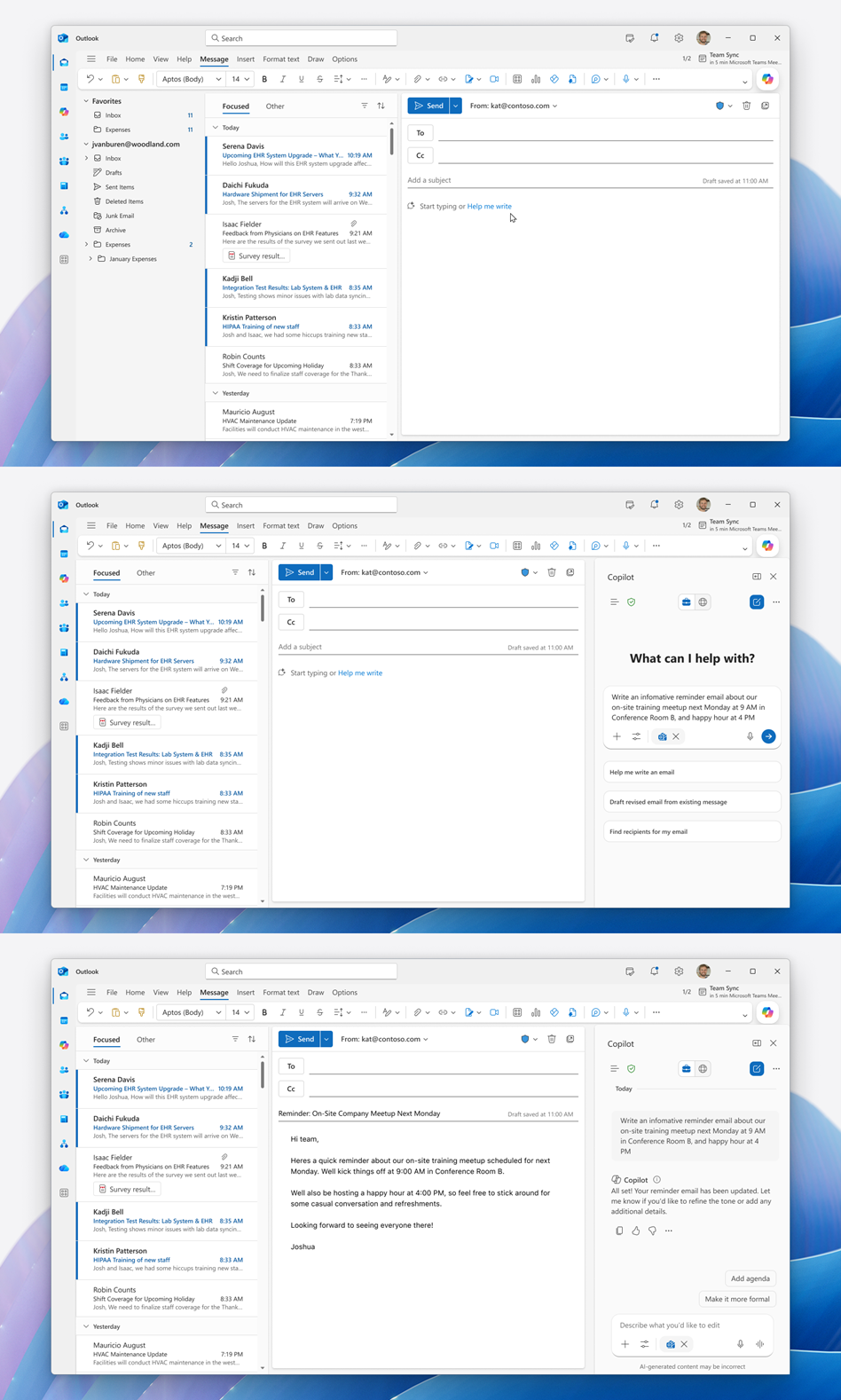
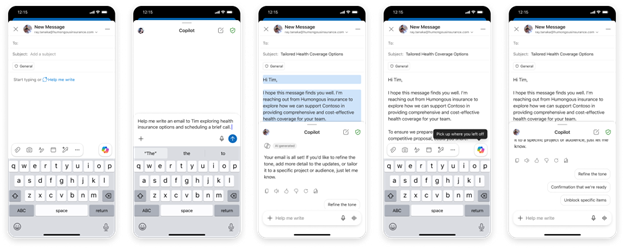
- Users will see a new Copilot side‑by‑side drafting experience when composing email
- Users can collaborate with Copilot in real time to refine, expand, or rewrite content directly within the compose surface:
- The experience is enabled by default for licensed users.
- Existing policies related to email access, governance, and protection continue to apply; there are no changes to admin controls at this time.
- There is no change to existing workflows outside the compose experience.
[What you can do to prepare]
No action is required.
You may choose to:
- Update internal training materials to help users understand this new drafting experience.
- Review upcoming Learn and help documentation as it becomes available.
[Compliance considerations]
No compliance considerations identified. Review as appropriate for your organization.
