Microsoft Teams Rooms on Windows will support ad-hoc room reservations directly from the console, requiring a Teams Rooms Pro license. Rollout is from July to September 2026, varying by region. The feature is enabled by default, with admin controls available, and no action is needed before rollout.
Updated July 29, 2026: We have updated the timeline. Thank you for your patience.
[Introduction]
We’re introducing ad-hoc room reservation directly from the Microsoft Teams Rooms on Windows console. This update enables users to reserve an available room on the spot without relying on a personal device or hallway panel, supporting quick, spontaneous meetings and helping reduce scheduling conflicts. This feature requires a Teams Rooms Pro license.
This message is associated with Microsoft 365 Roadmap ID 548648.
[When this will happen]
- General Availability (Worldwide, GCC): We will begin rolling out in early July 2026 (previously early June) and expect to complete by mid-July 2026 (previously late June).
- General Availability (GCC High): We will begin rolling out late in end of August 2026 (previously mid-July) and expect to complete by early September 2026 (previously late July).
- General Availability (DoD): We will begin rolling out in late August 2026 (previously late July) and expect to complete by mid-September 2026 (previously mid-August).
[How this will affect your organization]
Who is affected
- Users and admins of Teams Rooms on Windows with Teams Rooms Pro licenses.
What will happen
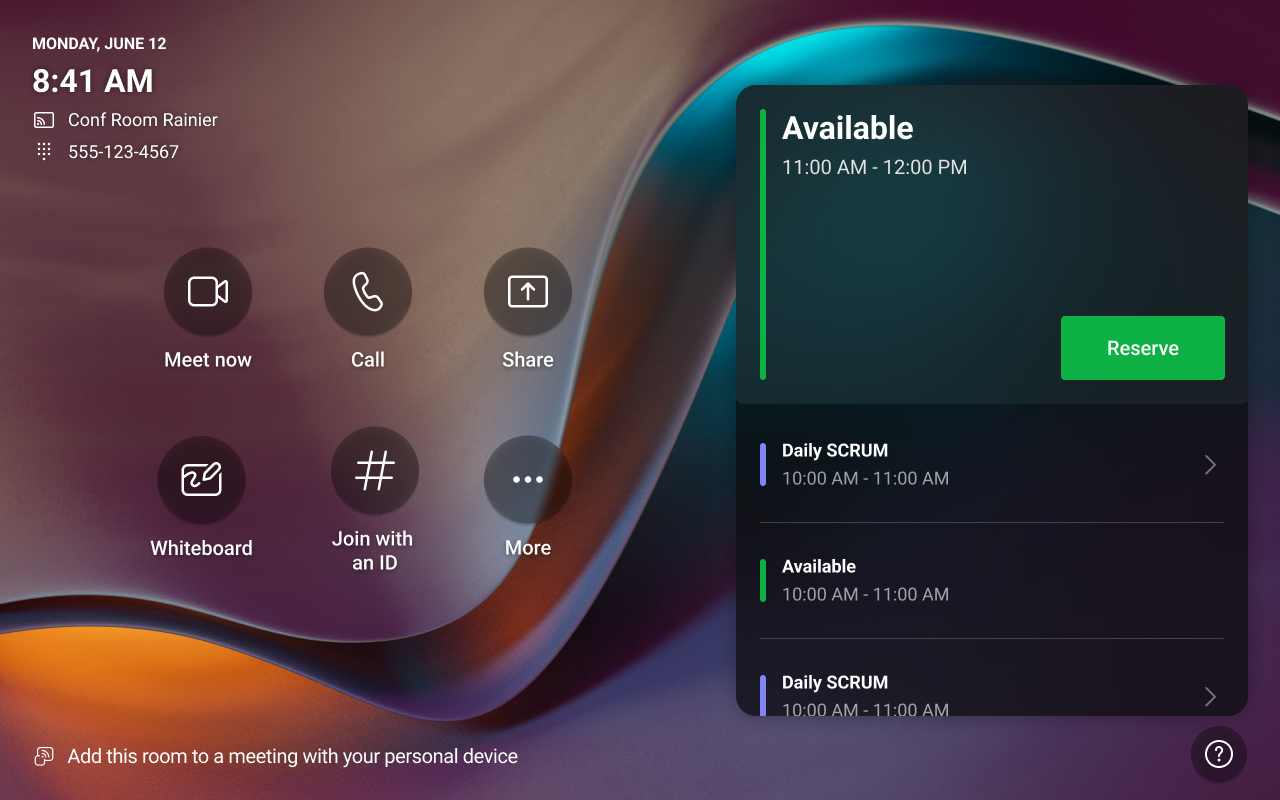
- After this feature becomes available on room devices, users can reserve an available room directly from the Teams Rooms calendar by choosing Reserve and selecting an end time:
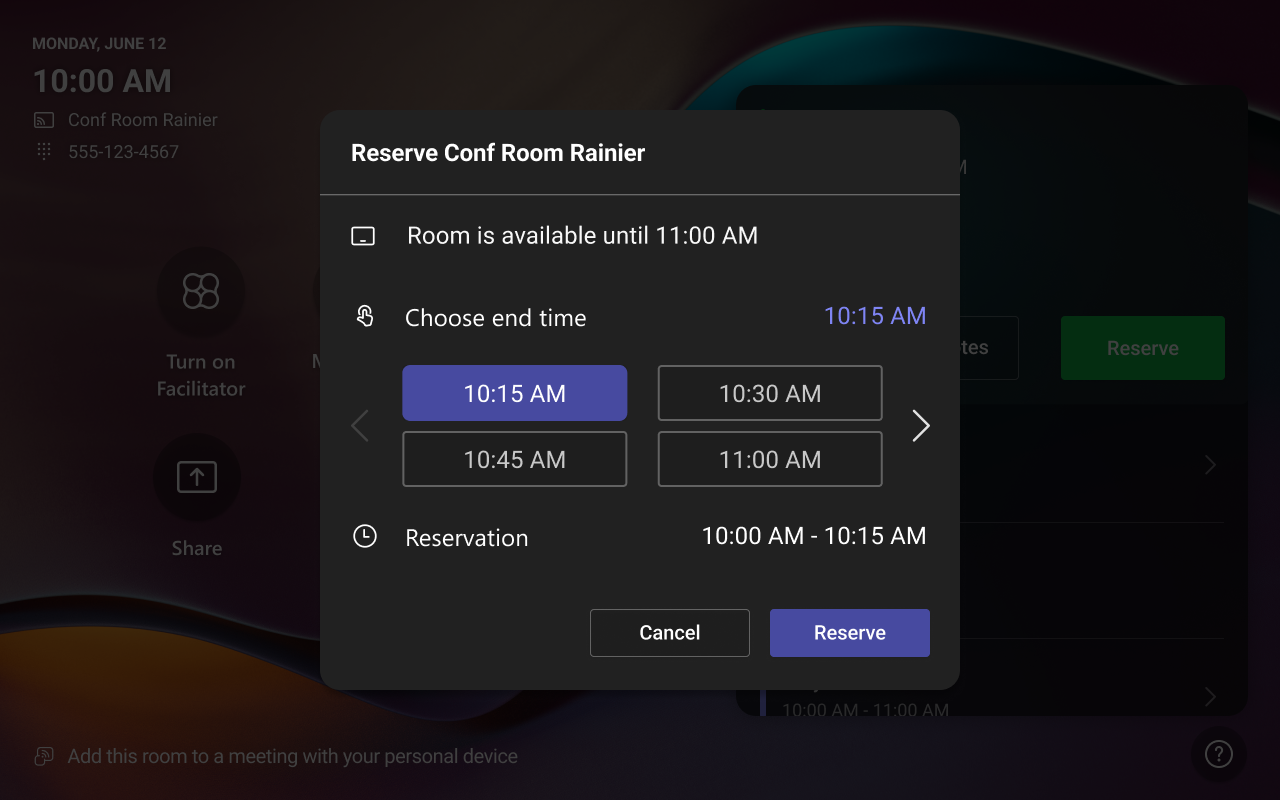
- End times appear in 15-minute increments for up to the end of the day or until the next scheduled meeting, whichever comes sooner:
- The feature is enabled by default.
- Admin controls will be available on the Teams Rooms Pro Management portal: Rooms > Settings > Meetings > Allow ad-hoc room reservation.
[What you can do to prepare]
- No action is required before rollout.
- Notify users of the new reservation workflow.
- Update internal training or documentation.
- Use Teams Rooms Pro Management portal or device settings if you want to restrict ad-hoc reservations.
[Compliance considerations]
No compliance considerations identified. Review as appropriate for your organization.